a video editing skill for Claude Code on your Mac
Edit Like a Pro.
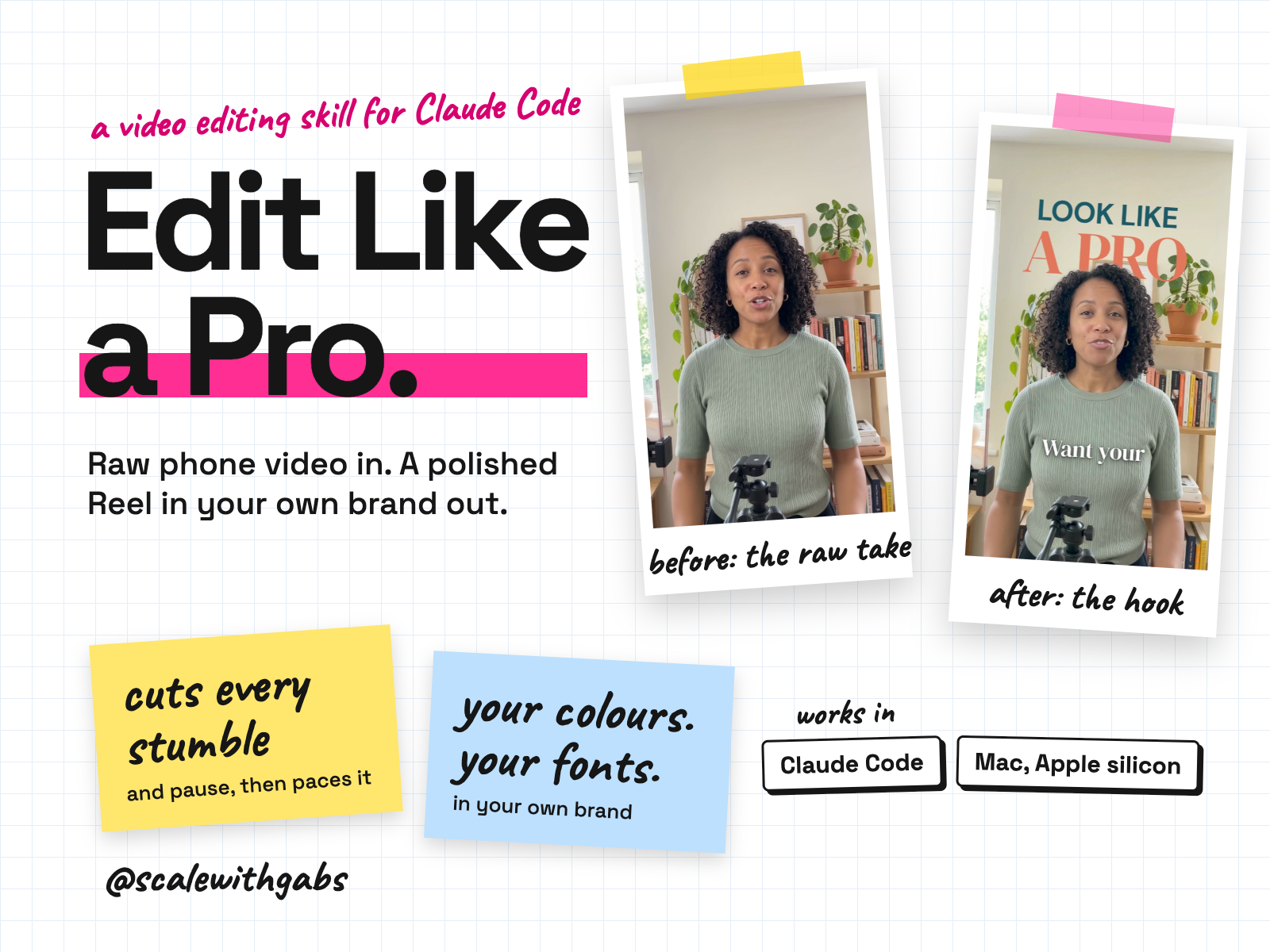
You film it on your phone. It cuts every stumble, restart and long pause, keeps the best take of each line, and paces it like a pro editor would. Then it adds captions that light up your stressed words, big text behind you, zooms on the words that matter, graphics for every tool or number you mention, and sound. It all runs on your Mac, in your own colours, fonts and look, and it critiques its own work before it hands you the finished file, a phone copy, a caption and a cover.
Never used AI before? Good, this was made for you. If you can copy and paste, you can do this. here's how
Want more than one skill? Bundle and save.
built for
- Claude Code on a Mac
Why I built it.
I didn't want to hand it to an editor every time
I film myself talking to camera a lot, and editing was the part that slowed everything down.
So I set my AI up to edit the way a professional short-form editor does: cut every stumble, pace it, caption it, add the motion and the sound, and check its own work before showing me. I used it on my own reels and I was blown away.
Then I wrote it down so you can do the same in your own brand. It asks your colours, fonts and the look you like before it edits anything, so your videos look like you, not like me.
What it does.
- Gets to know you and your brand first. Your colours, fonts, logo, captions and look (Clean, Pop or a mix), then a preview of sample frames in your brand to adjust before the first edit.
- Cuts like an editor. Every stumble, restart, "um" and long pause goes, it keeps your last full take of each line, and paces it to the speed that holds attention.
- Captions that pop. Big, clean captions with no box, your stressed words in your accent colour, and one word at a time on your biggest lines.
- Text behind you. It cuts you out cleanly so big words sit behind your head, on your real background.
- Something new every few seconds. Zooms on the words you stress, graphics for every app, number or website you mention, charts, checklists, comments popping in, and real film looks when you want it moody.
- Sound that fits. Effects on every move and a music bed under your voice, through your own ElevenLabs account if you want it, or a free sound pack, or no sounds at all.
- Checks its own work. It watches the finished video back, re-reads every word, measures the sound and fixes what isn't right before you see it.
- Every edit is new. It keeps a log of the moves it used and never repeats the last two, while your colours, fonts and captions stay yours.
- Hands you four things. The full-quality video, a phone copy under 30 MB, a caption in your voice, and a cover sized for your profile grid.
- Stays on your Mac. Your videos never leave your computer, and it never puts a call to action, handle or claim on screen you didn't say.
Who it's for.
and who it is not for
- Business owners and creators who film themselves talking to camera and post Reels, TikToks or Shorts.
- People who want their videos to look professional and on brand, without paying an editor or learning editing software.
- Anyone happy to let their AI do the work while they film, watch and say yes.
Not for: Intel Macs, Chromebooks or iPads, and Windows PCs for now (Windows is coming soon). Also anyone without Claude Code on a paid Claude plan, or people who want long-form YouTube edits, multi-camera shoots or colour grading for film. It edits short vertical videos.
How it works.
- 1Install. Paste one message into Claude Code. It finds the download and sets it up.
- 2One-time setup. Your AI installs the free video tools step by step and tells you what each one is. About 30 to 60 minutes, mostly waiting, and at most two clicks from you.
- 3Your brand. While it installs, it asks about your business, your colours, fonts and the look you want, then shows you sample frames to adjust.
- 4Edit. Send it a video. It shows you a short plan, builds the edit, watches it back, fixes it, and hands you the files. About 45 minutes the first time, then 20 to 30, mostly waiting.
See it in action.
tap one to see it full size
The presenter in these examples is AI-generated. Your edits use your own video, in your own brand. They are real output from the skill's own test edit, in a pretend brand.
How to use it.
copy, paste, done
- 1Open the Claude app and click Code. Make a folder called Claude Work in Documents and open it.
- 2Paste the install message. You don't need to unzip anything.
- 3Start a new session and type: Set up Edit Like a Pro. It does the rest, one step at a time.
the first thing you say
Set up Edit Like a Pro
Then just say things like
Edit this video:then drag the file in, and it starts the editmake it more Popmore playful momentsbigger captions, pleaseany change, in your wordsmake it moody from ... to ...a warm film look for a stretchmake a cover for this onea cover for your gridwhat's next?where you are and the next step
Built for your AI tool.
Claude Code on a Mac, for now
Where I have run it: Installed from the download in a fresh setup on a Mac with Apple silicon and used on a fresh raw video, first as a new buyer and then as a returning one, before it went on sale. It's built on the editor I use for my own reels.
Never used AI?
good. start here.
Good. You're who I wrote this for. You don't need to know anything about editing, and you never write code.
Your download comes with a How to use page you can open before you do anything else. It shows you where to click and what to paste, one step at a time, and you don't need to unzip anything.
Then there's a short lesson that walks you through your first real edit: what to say, what a good result looks like, and what to do when it isn't. Your AI installs the video tools for you and tells you what each one is.
Still stuck? Your download has an it didn't work section, and my email. Or grab an hour with me and we'll set it up together.
What you get.
- The Edit Like a Pro skill with its editing engine, the three looks and the pro editing rulebook.
- A one-time installer and a health check that explain everything in plain words.
- Your brand kit, set up in the first session, with a style preview.
- A cover maker, a free sound pack, and film colour looks.
- The How to use page and a 30 minute lesson.
Will it work on my Mac? A 1-minute check
- 1Click the Apple menu (top left of your screen), then About This Mac.
- 2Look at the line called Chip. If it says Apple M1, M2, M3, M4 or M5 (including Pro, Max or Ultra), it works. If you see a line called Processor that says Intel, it won't work.
- 3Memory (same window): 16 GB or more is best. 8 GB works, with lighter settings, more slowly.
- 4macOS (same window): version 14 (Sonoma) or newer. macOS 15 (Sequoia) and 26 (Tahoe) are fine.
- 5Free space: Apple menu, System Settings, General, Storage: about 20 GB free (the tools take about 13 GB; the rest is room to edit).
- 6Claude: the Claude desktop app with Claude Code, on a paid Claude plan (Pro or above).
Which Macs have Apple silicon (M1 or newer)
| Mac | Works from |
|---|---|
| MacBook Air | M1, late 2020, and every model since |
| MacBook Pro | 13-inch M1 from late 2020; 14-inch and 16-inch from 2021; every model since |
| iMac | 24-inch, 2021 and later |
| Mac mini | M1, late 2020, and every model since |
| Mac Studio | every model (2022 and later) |
| Mac Pro | 2023 and later |
Any screen size works. Some Macs from 2020 to early 2023 were still sold with Intel chips, so always check the Chip line rather than the year.
Not for: Intel Macs, Chromebooks or iPads.
Using Windows? It's coming soon. For now, Edit Like a Pro is for Macs with Apple silicon only.
Good questions.
tap a question to open it
Do I need to know how to edit?
No. You film, send it the video, and say what you like or don't. It does the cutting, captions, motion and sound, and explains anything in plain words.
Will my videos look like everyone else's?
No. It asks your colours, fonts, logo and the look you like before it edits anything, and every edit is drawn from those. It never copies another creator's look.
Do I need ElevenLabs?
No. It's optional. With your own ElevenLabs account you get real sound effects and music made for each edit (business use needs one of their paid plans). Without it, you can use the free sound pack that comes with it, or no sounds at all.
Will it work on Windows?
Coming soon. The Windows edition is being tested now, and I'll only say it's ready once it has passed a test on a real Windows PC. Follow @scalewithgabs and you'll know the day it is.
How do I know if my Mac has an M1 chip or newer?
Apple menu, About This Mac: the Chip line says Apple M1, M2, M3, M4 or M5. If it says Processor and Intel, it won't work. Most Macs from 2021 on have it, but check, because some Intel Macs were sold until early 2023. There's a 1-minute check and a list of models above.
Do I need a paid Claude plan?
Yes. Claude Code isn't on the free plan, so you need a paid Claude plan (Pro or above). Long edits can pause at your plan's limit; nothing is lost, and it carries on when you're back.
Do my videos get uploaded anywhere?
No. Everything is edited on your Mac. The only things that go online are the free tools it downloads during setup and, if you choose ElevenLabs, short text descriptions of the sounds it wants.
How long does an edit take?
About 45 minutes the first time, then usually 20 to 30 minutes for a 30 to 60 second video, mostly waiting while your Mac does the work.
Can I use music from the charts?
Not inside the file. Add trending songs in the app itself, from the platform's own library, so the licence is right. It can add a music bed from ElevenLabs, or a track you own.
Can anyone see my data?
No. The skill runs inside your own AI account. Nothing comes to me, and there's no server in between.
What will the AI do with my info?
The same as with anything else you type into Claude: it follows Claude's privacy settings. You can switch off using your chats for training under Privacy in Claude. Your videos stay on your Mac.
Claude Cowork or Claude Code? Which one?
Claude Code. I know, the name sounds scary, but you never write code. You open the Code tab in the Claude desktop app and chat like normal. The difference is what it can do: it works right inside your own files and folders, runs the little tools my skills use, and can build real things like a dashboard. That's why it's the one I use every day. It asks before it changes or runs anything, so nothing happens without your click. And if anything confuses you, tell it to explain it like you're 5.
Should I be worried about giving AI my business info?
Honestly? If you've ever logged into public Wi-Fi at a cafe, you've already taken a bigger risk than this. If you want to grow, you need to move fast and get ahead, and worrying about AI will hold you back. Just be smart about it: never give AI your passwords, API secret keys or card details, use a paid plan and switch off training in your settings, and only connect the apps you actually need.
What if it's not for me?
Because you get the whole skill the moment you buy, I don't offer refunds for change of mind. Not sure it suits your business? Message me before you buy and I'll tell you honestly. If something's actually broken, reply to your receipt and I'll fix it.
How do I get it?
Pay once. Your receipt email has your licence key and a How to use page. Go to gabisaper.com/download, paste the key, and your copy downloads, made out to you. One licence is for one business.
Do I get updates?
No, and that's on purpose. The moment you download it, the skill is yours. You shape it to your business as you use it, so the copy you have is the final one, and there's nothing to keep in step with me.