a writing skill for any AI tool
AI Slop.
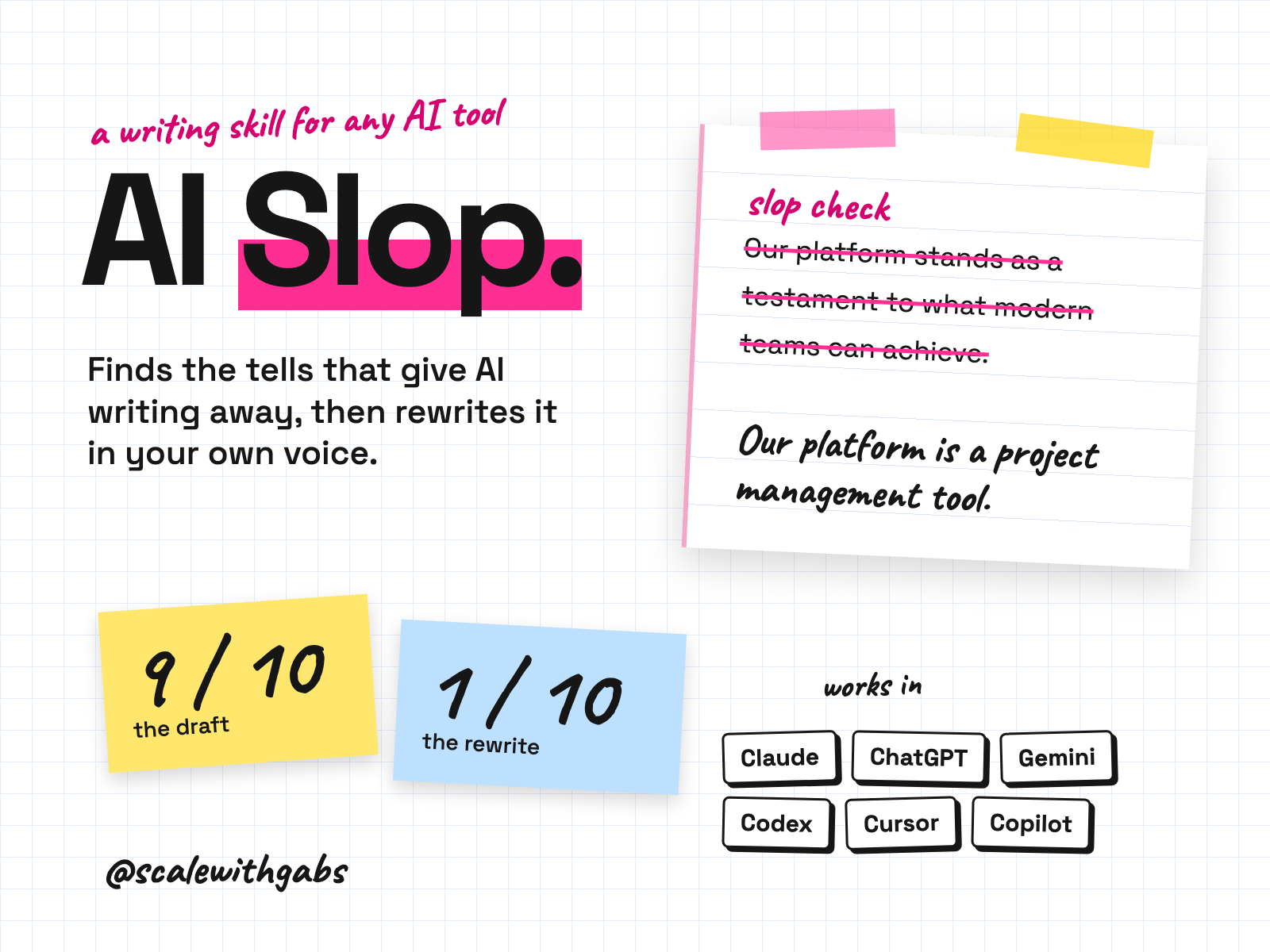
Paste in an email, a post, a landing page or a deck. AI Slop quotes the phrases that read like AI, scores the draft out of 10, and rewrites it in your house style. Anything it can't back up gets listed for you, not hidden. Every fact stays. Only the slop goes.
works in
- Claude
- ChatGPT
- Gemini
- Codex
- Cursor
- GitHub Copilot
- Any other AI tool
Why I built it.
I could feel it before I could say why
I draft a lot of what I write with AI, for my brands and for my own name. The drafts were fast and they were fine. They also sounded like everyone else's, and I could feel it before I could say why.
So I wrote down why. Wikipedia's editors keep a list of the patterns that give AI writing away. I turned it into a proper workflow, then added a score, a rewrite step and a house style, so the result sounds like me.
I run it on my own posts before anything goes out. The list of tells isn't mine, and I'll always say so. The workflow around it is.
What it does.
- Scores any draft out of 10 for AI tells. 0 reads like a person with something to say. 10 reads like unedited model output.
- Quotes every phrase it flags, names the tell and tells you why, across 26 categories.
- Rewrites it in your house style. It cuts rather than swaps, and keeps every fact, number and name.
- Lists the claims it can't back up, like "studies show", so you can source them or drop them. Nothing hidden, nothing softened.
- Tells you what it added. Every rewrite ends with an Added in the rewrite line, so nothing sneaks in.
- Says when your writing is fine, and stops. It's told never to invent problems to look useful.
Who it's for.
and who it is not for
- Founders who draft posts, emails and product pages with AI and want them to sound like the founder.
- Marketers and copywriters who need a fast, consistent check before anything goes out.
- Freelancers who deliver writing to clients and want a second read on their own drafts.
- Agencies checking their own drafts, or their team's, against one shared standard.
Not for: catching someone else out. It isn't a detector and it won't say something is AI written. It also works in English only.
How it works.
- 1Learns your house style, once. About three minutes of short questions: spelling, dashes, how you sign off, what must never appear. "default" works for any of them.
- 2Reads the whole draft first. How dense the tells are matters more than any one phrase.
- 3Walks it against 26 kinds of tell. Puffery, vague "experts say", rule of three, the lot. Then a structure pass, because swapping words is easy and rhythm gives it away.
- 4Scores it and gives you the top three fixes. If the genre is meant to sell, it knocks a point off and says so.
- 5Rewrites it, then checks its own rewrite. Rewrites drift back towards slop, so it audits its own work before handing it over.
- 6Keeps up with the list. About once a week it can compare its catalogue with the live Wikipedia page and suggest changes. It applies nothing until you say so.
See it in action.
tap one to see it full size
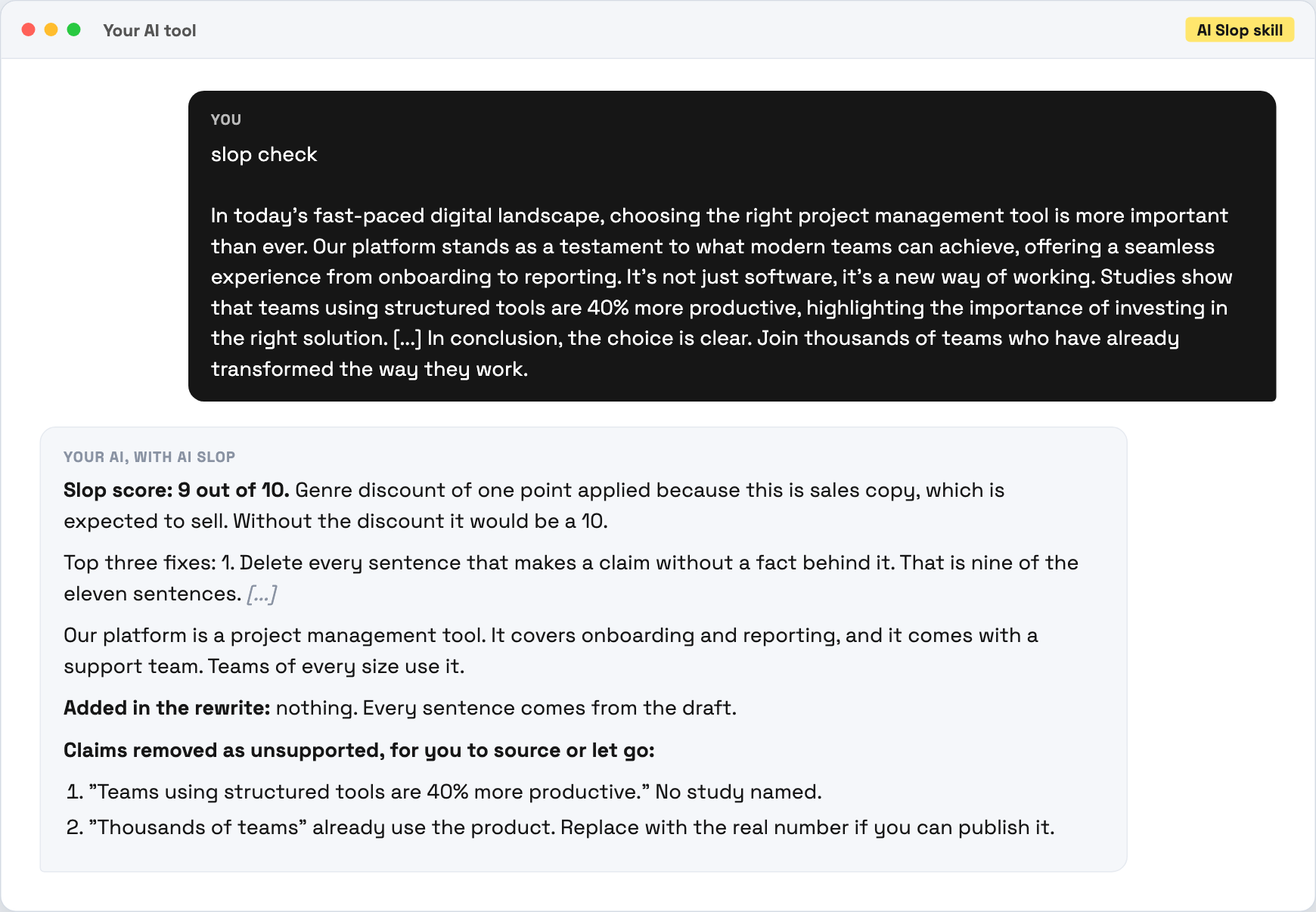
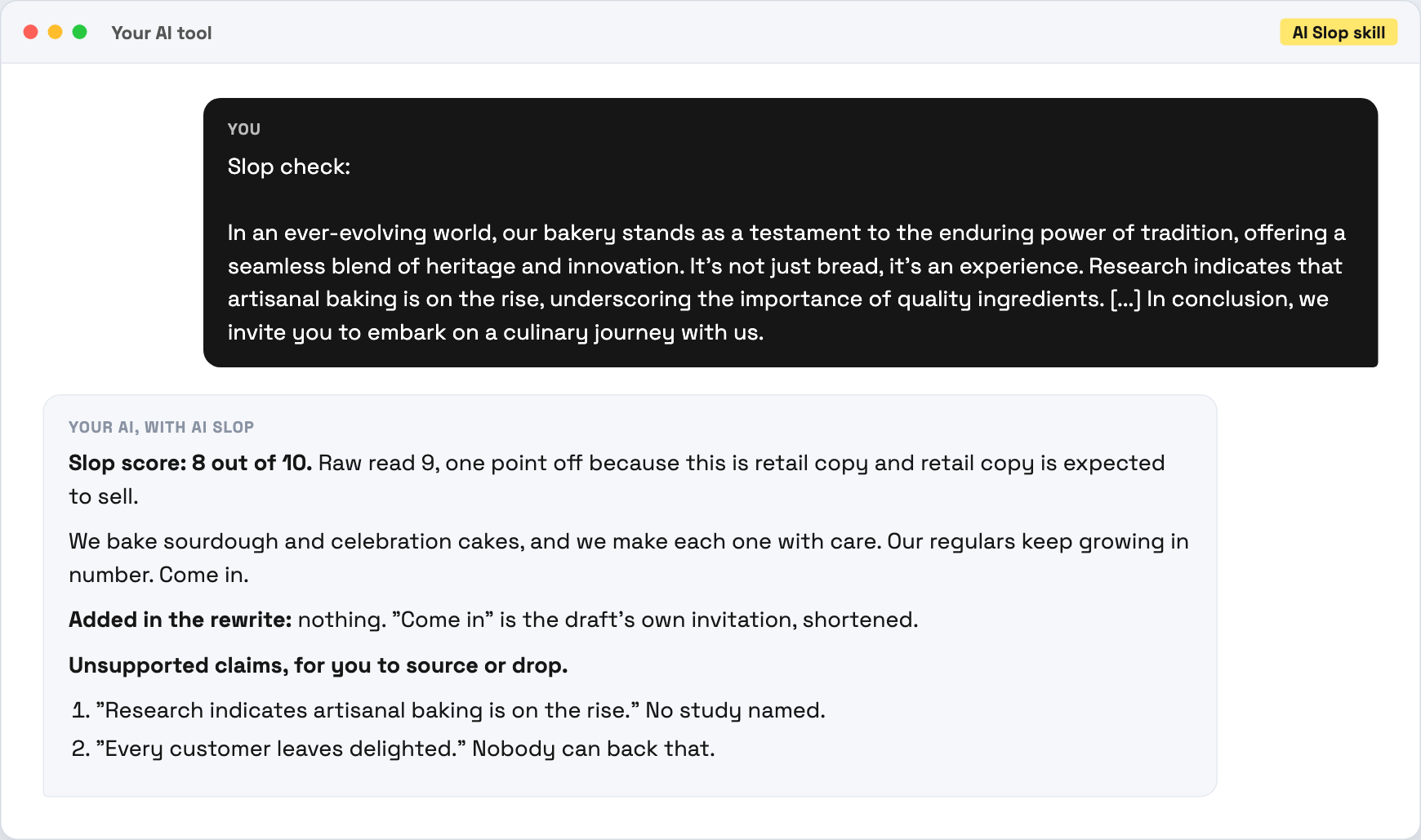
These are the examples that ship inside the kit, run on made-up businesses so no real customer data is in them. Trimmed to fit, marked with [...]. Your results come from your own AI tool and will be worded differently.
How to use it.
copy, paste, done
- 1Install it in your tool. The How to use page has the steps for each tool. On claude.ai you upload one file. In ChatGPT you make a Project. In Codex, Cursor or Claude Code you paste one message.
- 2Check it worked. Paste the test paragraph from your download with "slop check" in front. A working install scores it 7 or higher and names the tells.
- 3Use it on real writing. Type "slop check" and paste your draft. That's it.
your first slop check
slop check [paste your draft here]
Then just say things like
slop checkaudit and rewrite in one goaudit onlythe score and the flags, no rewriterewrite onlythe clean version and the unsupported claims listnotes for the writerthe change list without rewriting it for themupdate my house stylereopen the setup questionsslop check the folderone row per file, in tools that read filesonly check when I askstops automatic checks on drafts your AI writes
Works in your AI tool.
the one you already pay for
Where I have run it: Claude, on the eight calibration samples in the kit. Every other install route follows that tool's own documentation, checked September 2026.
Never used AI?
good. start here.
Good. You're exactly who I wrote the lessons for.
Every download comes with a How to use page you can open before you even unzip anything. Pick your AI tool and it shows you where to click and what to paste, one step at a time. If you can copy and paste, you're qualified.
Then there's a short lesson that walks you through your first real session: what to say, what a good answer looks like, and what to do when it isn't. No code, no jargon, no Terminal.
Still stuck? Every download has an it didn't work section for each tool, and my email. Or grab an hour with me and we'll set it up together.
What you get.
- The AI Slop skill, set up for the AI tool you use.
- The How to use page, with the steps for your tool and copy buttons.
- A 20 minute lesson in nine short parts, with quick checks.
- A test paragraph and eight calibration samples, so you can see it working.
- The catalogue of 26 tells, credited to Wikipedia, with a weekly check for new ones.
- Your house style, learned once and used on every check.
Good questions.
tap a question to open it
Does it tell me if something was written by AI?
No. It tells you what the text reads like and why, with the phrases quoted. Those are signals, not proof, and it's written never to say "this is AI-generated" on pattern evidence alone.
Will it flatten my voice?
It's built not to. It keeps your own words wherever they already work, applies your house style and keeps every fact. It still writes a draft, so read it against your original. That takes a minute.
What happens to claims with no source?
They come out of the prose and go onto a list at the end, marked unsupported. Nothing is softened and left in, and nothing is deleted without telling you.
Can I use it on client work?
Yes. It checks any writing you like, client work included, in your own AI tools and accounts.
Do I need a paid AI plan?
I recommend running these on a paid plan for your AI tool, like Claude Pro, ChatGPT Plus or Google AI Pro. Free plans cap how much you can send, how many files a project can hold and which model you get, and these skills do their best work on the strongest model your tool offers.
Do you see my business or my drafts?
No. It runs in your own AI tool, under your own account and that provider's terms. There's no server on my side, so nothing comes to me.
How do I get it?
Pay once and get your download straight away, with a How to use page and a licence key by email that you paste in when you install. One licence is for one business.
Do I get updates?
Yes. When a new version is out you get an email with the new download and a message to paste that updates it without losing your settings.