a business dashboard kit for Shopify
Know Your Numbers.
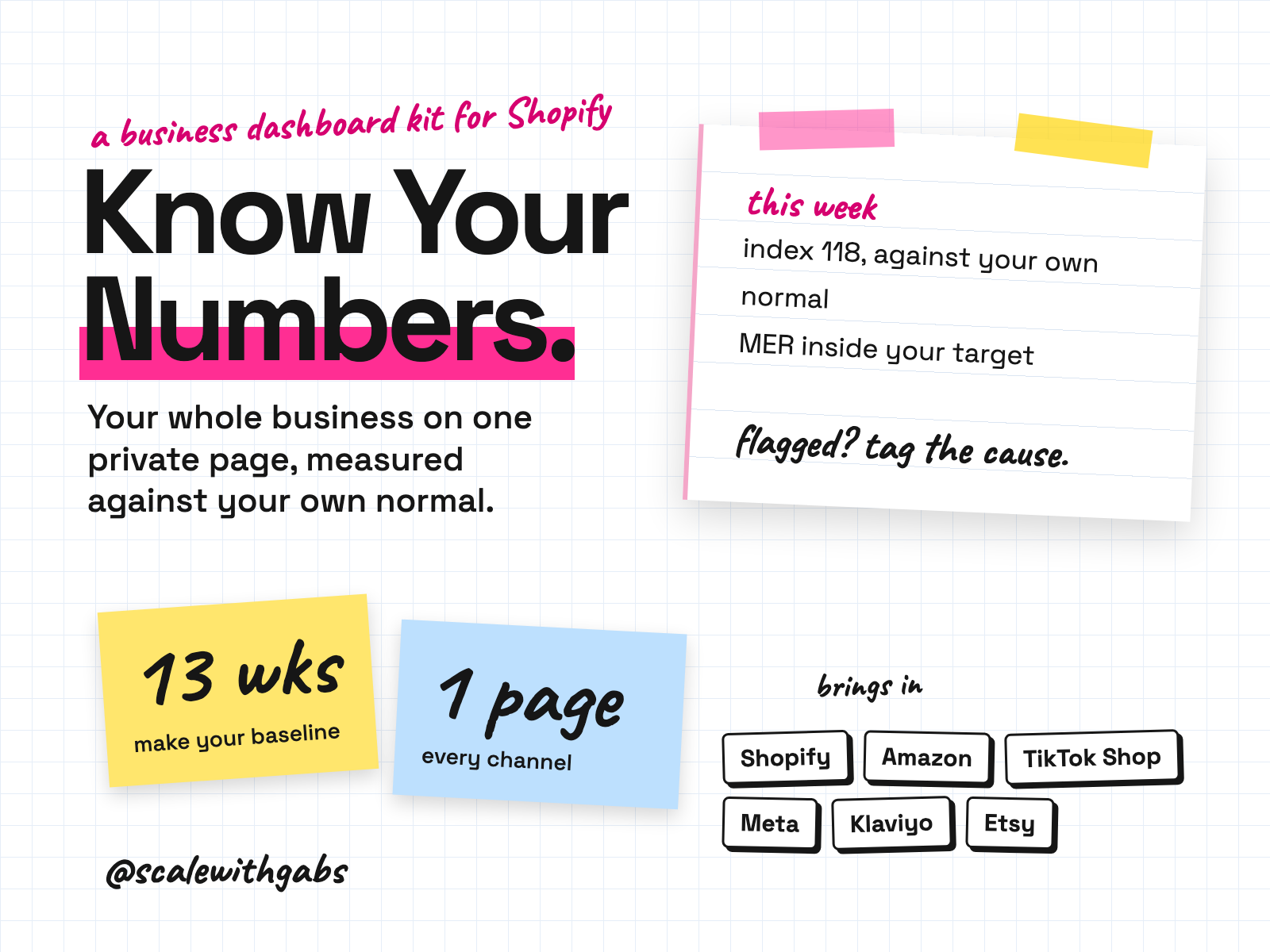
A private page that shows your whole business in one place and keeps itself up to date. Every channel, what your ads really return, and how this week compares with your own normal. You set it up by talking to an AI assistant. It asks the questions, tells you where to click, and does every technical thing.
works in
- Claude
- Codex
- Cursor
- Gemini
- GitHub Copilot
- Shopify
Why I built it.
a dashboard that is admired and not used is a screensaver
Every platform tells you its own version of how you're going. Shopify, Amazon, Meta, TikTok, your email tool. None of them agree, and none of them tell you whether your ads are actually affordable.
So the numbers I look at every week live on one page. Every channel, marketing spend against total sales, and each week measured against my own normal, not against last month or someone else's benchmark.
Then I made it teach. A dashboard you can't read is a failure even when every number is right, so your AI assistant walks you through every tile, on your own numbers, until you can say them back.
What it does.
- Puts your whole business on one private page: every sales channel, ad spend by platform, MER and ROAS, customers, regions, followers, traffic and surveys. It updates itself roughly every hour.
- Measures you against your own normal. The middle of your last 13 weeks is your baseline, this week is an index, and unusual weeks get flagged so you can ask what caused them.
- Shows what your ads really return. MER counts all your marketing, agencies and creators included, so no ad platform can flatter itself.
- Explains every number in plain words, and your assistant explains any figure using your real numbers when you ask.
- Wears your name and logo on a clean, fixed design.
- Looks after itself. A plain English health check, a backup download, a password protected export and year on year comparisons.
Who it's for.
and who it is not for
- Shopify brand owners who are not developers, and may have barely used AI.
- Owners selling across several channels: Shopify, Amazon, TikTok Shop, Etsy, Faire, wholesale.
- Anyone running ads who wants to know whether they are actually affordable.
- Owners who want a three minute Monday habit instead of five logins.
Not for: anyone not on Shopify, anyone expecting a profit and loss (it shows sales, not profit), or anyone who only uses chat apps like claude.ai or ChatGPT. It needs an AI assistant that can work in a folder.
How it works.
- 1You open the folder in your AI assistant. And paste one message. That's the only thing you type that isn't a normal sentence.
- 2It interviews you. One plain question at a time: your business, where you sell, your currency, every tool you use.
- 3It goes live with Shopify first. On your own Render account. It tells you exactly where to click, and secrets never go in the chat.
- 4It adds your other platforms, one at a time. Meta, Google Analytics, Klaviyo, Amazon, TikTok and more. Each one is optional.
- 5It checks its own work. Against the live site, including that a sample week matches Shopify.
- 6Then it teaches you. Tile by tile, on your real numbers, asking you to say each one back.
See it in action.
tap one to see it full size
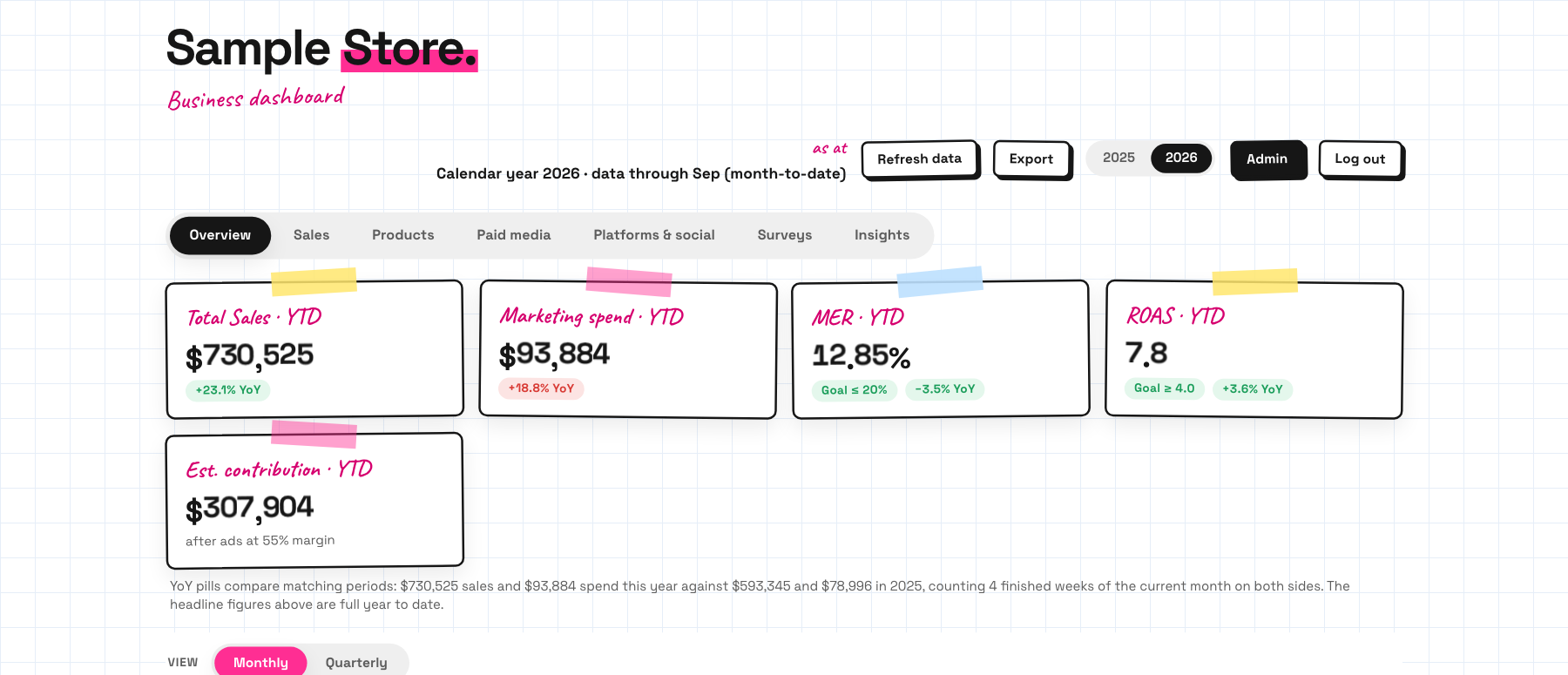
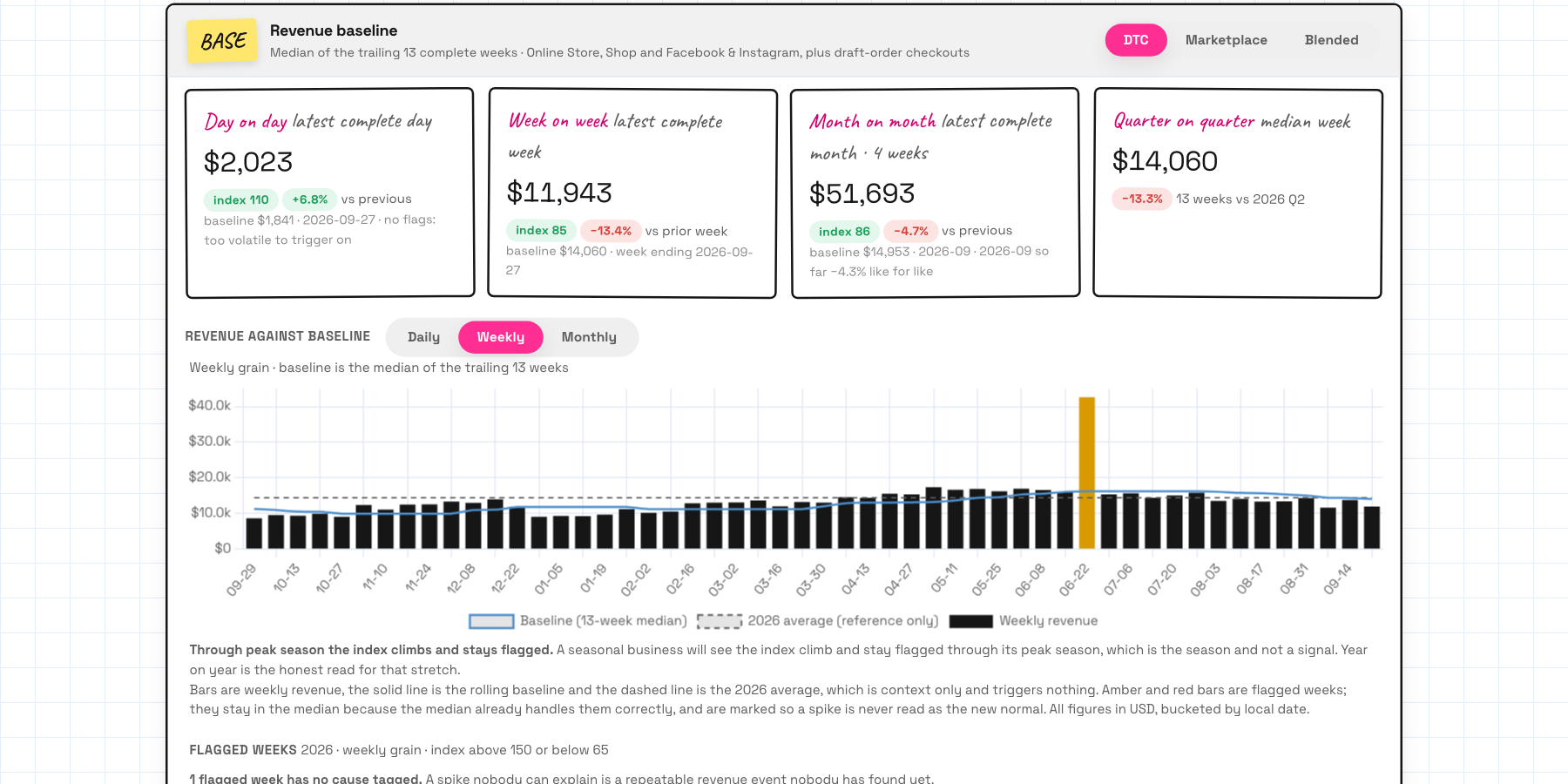
Sample data. These screenshots are from the real dashboard running on a made-up store, so every figure is invented. Yours shows your name, your logo and your numbers.
How to use it.
copy, paste, done
- 1Unzip it and open the folder in your AI assistant. Claude Code, Codex, Cursor, Gemini CLI or GitHub Copilot. The How to use page shows you where Open folder is.
- 2Paste the first message. It's on the How to use page with a copy button.
- 3Answer its questions. About an hour of your attention, in pieces. Some platforms make you wait a few days for approval.
the first message
Read AGENTS.md in this folder, then BUILD_BRIEF.md, and build my dashboard. I am not technical and I have never used AI like this before. Ask me one question at a time, in plain English, and tell me exactly where to click whenever you need me to do something. Do not give me commands to type. When it is built, walk me through what every number means.
Then just say things like
Check my dashboard.a plain English health checkExplain this number to me:then the numberThe numbers have stopped updating.it finds out why and fixes itI have started using Pinterest. Add it to my dashboard.new platforms any timeIt is a new year. Roll the dashboard over.once a yearI need to stop for now. Save where we are.pick up later, in any session
Works in your AI tool.
needs an assistant that can work in a folder
Where I have run it: The dashboard itself runs and was checked end to end on sample data. The screenshots on this page are from that run.
Never used AI?
good. start here.
Good. The whole kit was written for you. The first message you paste literally tells your assistant: I am not technical, ask me one question at a time, and don't give me commands to type.
It does every technical thing. You answer questions and click where it tells you. The setup guide's own line is: if you can send a text message, you can do this.
And afterwards, the same assistant looks after it. You don't need to find anyone technical. Open the folder, say what you're seeing, and it keeps notes so the next session knows your setup.
Want me there while you do it? There's an option with a one hour setup call with me.
What you get.
- The dashboard app, ready for your AI assistant to build and deploy.
- The build brief your assistant follows, and click by click steps for the bits only you can do.
- Understand Your Numbers: every figure explained in plain words.
- The How to use page and a 20 minute lesson on reading your numbers and what to say.
- Setup files for Claude Code, Codex, Cursor, Gemini CLI and Copilot.
- Want me on a one hour setup call while you build it? That option is A$999.
Good questions.
tap a question to open it
Do I need to be technical?
No. Your AI assistant does every technical thing: it writes, deploys and checks. You answer questions in plain English and click where it tells you.
What does it cost to run?
About 7 US dollars a month to Render, which hosts it on your own account. GitHub is free. You'll want a paid plan on your AI assistant. The optional written summary costs a few cents each time.
Does it show profit?
No, it shows sales. It doesn't know your costs. Give it a typical margin and it estimates a contribution figure, and says it's estimating.
Who can see my numbers?
Only you. It's behind your own password, on your own Render account, and your figures never pass through me.
Why don't the numbers match Shopify exactly?
Because it counts sales after discounts, before tax and without shipping charges, so you're looking at what you actually sold.
Do I need a paid AI plan?
I recommend running these on a paid plan for your AI tool, like Claude Pro, ChatGPT Plus or Google AI Pro. Free plans cap how much you can send, how many files a project can hold and which model you get, and these skills do their best work on the strongest model your tool offers.
Do you see my business or my drafts?
No. It runs in your own AI tool, under your own account and that provider's terms. There's no server on my side, so nothing comes to me.
How do I get it?
Pay once and get your download straight away, with a How to use page and a licence key by email that you paste in when you install. One licence is for one business.
Do I get updates?
Yes. When a new version is out you get an email with the new download and a message to paste that updates it without losing your settings.